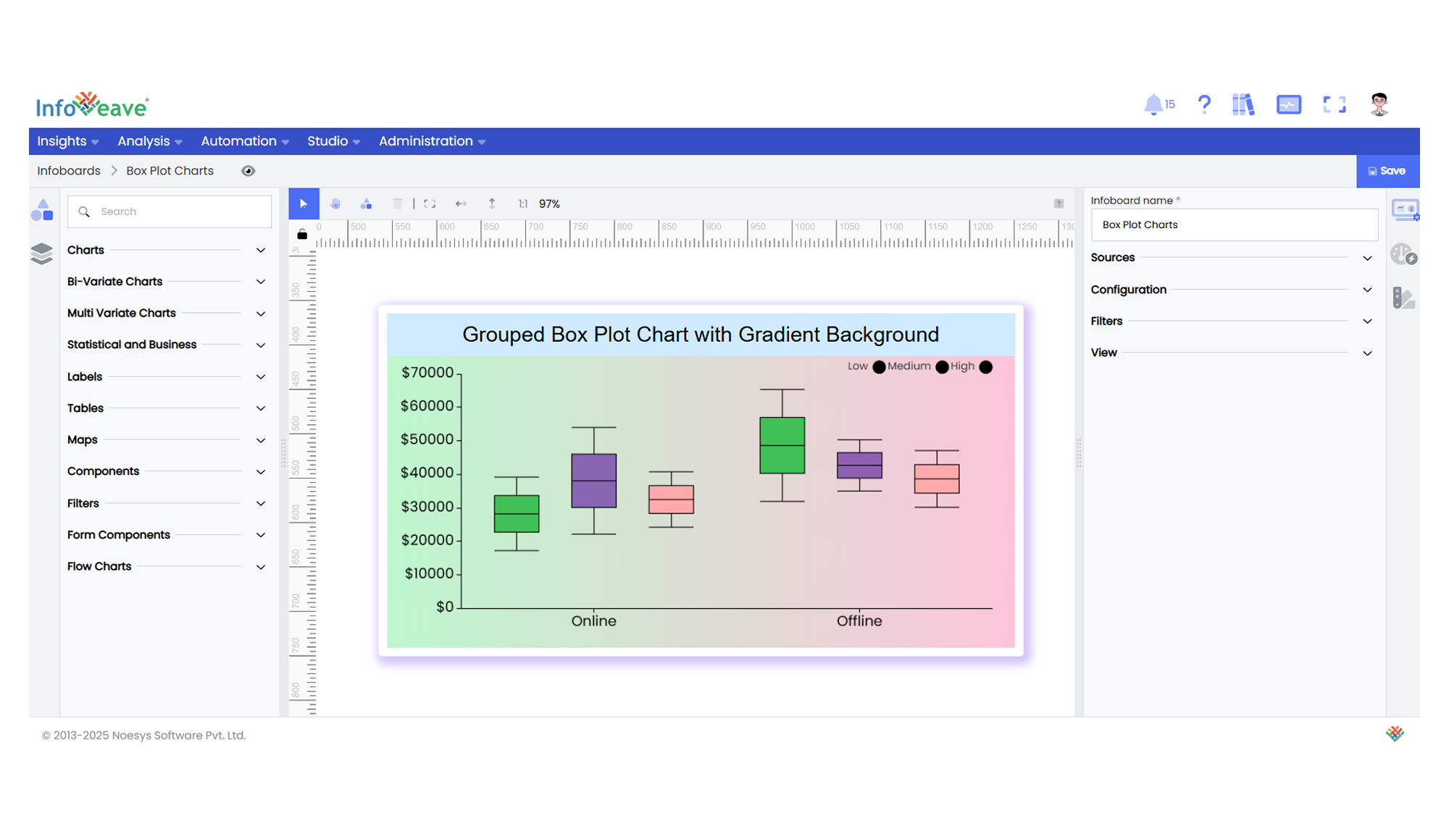
---
title: "Box Plot"
description: "A statistical chart type used to visualize the distribution, central tendency, and variability of a dataset via five-number summaries."
group: Charts
tags: [Visualization, Chart, Dashboard, Box Plot, Distribution, Statistics, Quartiles]
---
import { Aside, Steps } from '@astrojs/starlight/components';
# Box Plot
The **Box Plot Chart** helps analyze the spread and distribution of data across categories.
It displays a summary of data including the minimum, first quartile (Q1), median, third quartile (Q3), and maximum values, making it ideal for spotting outliers and variability.
**Use cases:**
- Statistical data analysis
- Displaying distributions of numerical data split by categories
- Highlighting outliers in performance metrics or survey responses
- Comparing spread of values across groups or dimensions
---
## ⚙️ Setup
1. Drag the **Box Plot Chart** widget from the chart library onto your designer workspace.
2. Select the chart.
3. Go to the [Widget Configuration](/insights-v8/guide-to-infoboard-designer/customize-panel/configure/) tab in the Configuration panel.
4. Under the Configuration panel tab, select the [Basic Configuration](/insights-v8/guide-to-infoboard-designer/customize-panel/configure/#basic) option to access essential settings.
5. Choose the [Source](/insights-v8/guide-to-infoboard-designer/customize-panel/setup/#sources) to fetch data for the chart.
6. Map:
- **[Measure (Value)](/studio-v8/datasources/measures-dimensions-and-hierarchies/)** — The numeric values for box plot computation.
- **[Dimension (Axis)](/studio-v8/datasources/measures-dimensions-and-hierarchies/)** — The categorical dimension on the X-axis.
- **[Group](/studio-v8/datasources/measures-dimensions-and-hierarchies/)** (optional) — To split data into multiple series.
---
## 📊 Basic Configuration
| Configuration Item | Description |
|:---------------------|:-------------|
| **[Source](/insights-v8/guide-to-infoboard-designer/customize-panel/setup/#sources)** | The data source to query for chart values. |
| **[Measure (Value)](/studio-v8/datasources/measures-dimensions-and-hierarchies/)** | Numeric value for the box plot computation. |
| **[Dimension (Axis)](/studio-v8/datasources/measures-dimensions-and-hierarchies/)** | Dimension for the X-axis categories. |
| **[Group](/studio-v8/datasources/measures-dimensions-and-hierarchies/)** *(Optional)* | Dimension to split series (optional for multi-series display). |
---
## 🎨 Chart Customizations
| Category | Options & Description |
|:----------------------------|:-----------------------------------------------------------|
| **[General](/insights-v8/guide-to-infoboard-designer/customize-panel/customization-tab/#general)** | Theme, background, animations, and accessibility. |
| **[Title](/insights-v8/guide-to-infoboard-designer/customize-panel/customization-tab/#title)** | Chart title, font, alignment, and visibility. |
| **[Sorting](/insights-v8/guide-to-infoboard-designer/customize-panel/customization-tab/#sorting)** | Control sorting of categories on the axis. |
| **[Grid](/insights-v8/guide-to-infoboard-designer/customize-panel/customization-tab/#grid)** | Control chart padding, borders, and layout area. |
| **[Legend](/insights-v8/guide-to-infoboard-designer/customize-panel/customization-tab/#legends)** | Show or hide legends and position them. |
| **[Categorical Axis](/insights-v8/guide-to-infoboard-designer/customize-panel/customization-tab/#axis)** | Configure category axis labels, formatting, and ticks. |
| **[Numerical Axis](/insights-v8/guide-to-infoboard-designer/customize-panel/customization-tab/#axis)** | Set up numerical axis scale (linear/log), labels, and grid lines. |
| **[Series](/insights-v8/guide-to-infoboard-designer/customize-panel/customization-tab/#series-customization)** | Customize box color, borders, opacity, shadows, and symbol icons. |
| **[Tooltip](/insights-v8/guide-to-infoboard-designer/customize-panel/customization-tab/#tooltip)** | Configure tooltip content and format on hover. |
| **Others** | Box width range, multi-color mode, and box width min-max controls. |
---
## 📊 Example Visualization