---
title: Login statistics
description: View Login statistics - Analyzing user activities, filtering by date range, and tracking actions, modules, and IP addresses.
---
# Login statistics
import { Aside, Steps } from '@astrojs/starlight/components';
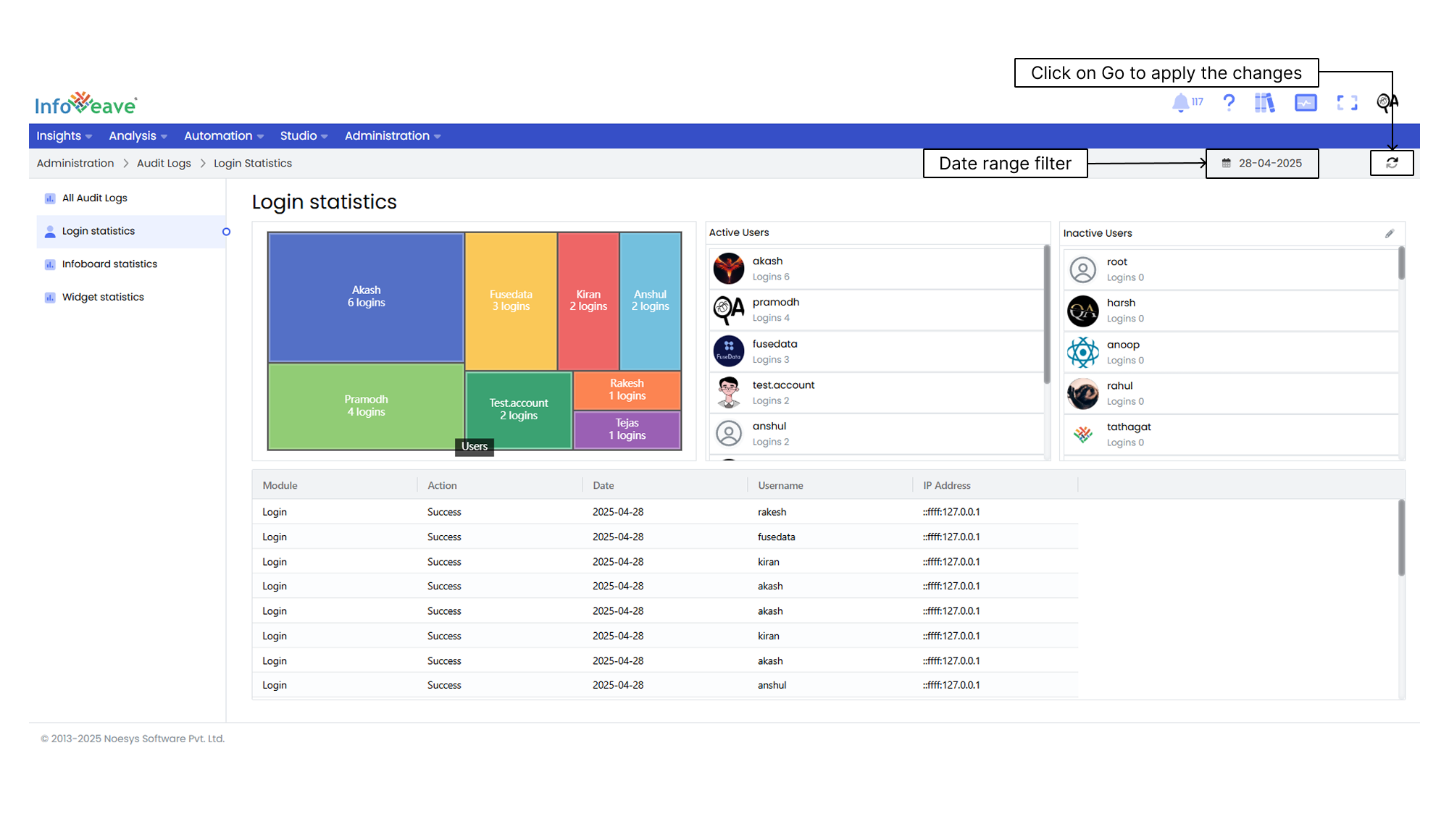
The **Login statistics** tab in Infoveave provides a quick and comprehensive view of user login activities. You can track login frequencies, distinguish between active and inactive users, and gain detailed insights into user behavior. This includes information such as the Module, Action, Date, Username, and IP Address.
Here are the steps to access and interpret the Login statistics.
1. Once you log in, locate and click on the **Login statistics** under **Administration Audit Logs** within the Infoveave interface. After accessing the Login statistics section, you will see a view that displays login frequencies and related data.
2. Within the Login statistics area, you can identify both active users (those who have recently logged in) and inactive users (those who have not logged in recently).
* The active user statistics table provides detailed information about user activities. This includes **Modules**, **Actions**, **Dates**, **Usernames**, and **IP Addresses**.
* A column chart visually represents the number of logins for the active users. This chart provides a quick overview of user engagement trends.
* Examine the Login statistics to gain insights into user behavior, engagement patterns, and system usage.
3. If necessary, take action to manage inactive users. You can click on the **Edit** icon associated with the inactive user tab. You can also **Delete** inactive users from the system.
4. Apply a **Date range filter** on the audit logs for granular details if required.
5. Click on the **Go** button to apply the date range.